



Get the Answers You Need with FRAMECAD Knowledge Hub - Your AI-Supported Resource for Fast, Clear Product Guidance
When you’re working with FRAMECAD technology - whether it’s Steelwise, Nexa, or a roll-former- there’s no shortage of capability at your fingertips. But let’s be honest: not everyone has the time to become an expert in every detail of FRAMECAD’s ecosystem. When you’re in the middle of a job and just need a quick answer, you don’t want to dig through manuals or click endlessly through old documentation systems.
That's why FRAMECAD launched FRAMECAD Knowledge Hub
A Smarter Way to Access FRAMECAD Product Knowledge
Historically, finding product knowledge meant navigating multiple layers of documentation that weren’t always intuitive. It worked, but it wasn’t ideal, especially for busy machine operators, software users, or business owners who simply needed one clear answer, right now.
FRAMECAD Knowledge Hub Changes That
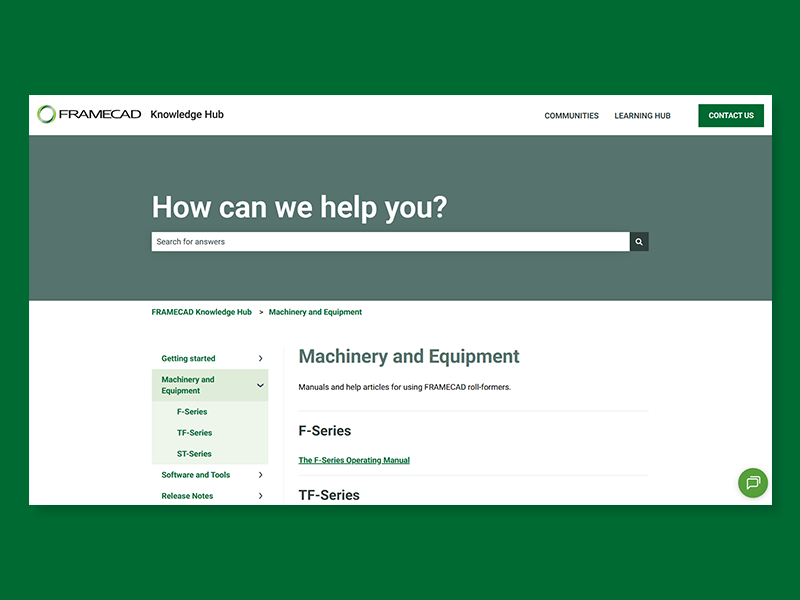
Now, when you log in to Communities, instead of hunting for information, you can click on Knowledge Hub to access a centralized space where everything is organized, easy to find and even easier to understand. Once inside Knowledge Hub, you’ll benefit from an AI agent trained specifically in FRAMECAD documentation.
.png?width=800&height=600&name=Knowledge%20hub-02%20(1).png)
Your Time Matters – FRAMECAD Knowledge Hub Gives It Back
Knowledge Hub offers flexibility in how you get answers:
- Search the Knowledge Hub directory for articles that walk you through tasks step-by-step
- Scan curated content that’s cleaner, better structured and updated regularly
- Or simply ask the AI agent, which has been trained exclusively on FRAMECAD’s manuals, guides, and support resources
Whether you’re trying to remember how to start a project in Steelwise, checking the correct way to maintain an F-series machine, or learning about onboarding as a new customer, FRAMECAD Knowledge Hub removes the need for manual searching.
FRAMECAD’s goal is simple: get valuable information directly into your hands when you need it.
Real-World Examples
- A business owner can quickly confirm a setting on their roll-former without halting production
- A new Steelwise user can ask the AI agent how to set up a project and get a tailored explanation in seconds
- A production manager can search for an article on Nexa workflows instead of digging through a PDF manual
Every interaction saves time and in construction and manufacturing, time matters.
Continuously Improving for FRAMECAD Customers
Knowledge Hub isn’t static. FRAMECAD is committed to expanding and improving its help content, adding new articles, updating old ones and refining the AI model, so the system becomes even more useful over time.
This is your centralized, evolving resource - built to support the way you work.
The Takeaway
If you use FRAMECAD products, you no longer need to search through scattered manuals or rely on memory. FRAMECAD Knowledge Hub is your go-to place for quick answers, clear instructions and an AI-powered experience designed to save you time.
Start Using FRAMECAD Knowledge Hub Today
Visit FRAMECAD Knowledge Hub and get the answers you need, fast.